 Best Option
RestorationHelp Is Only A Call Away
Craig's Workspace · Concept Preview
Your Workspace
This is a preview of your own private home base, Craig — one surface that opens on a quick dashboard glance, holds your company set up service line by service line, and carries the console you would run the work from. It is a concept built for your review: the pieces marked live are real and working today; the rest is honestly labeled until your facts and your go-ahead wire it up. Nothing here shows invented numbers — where your real data will live, the space is waiting for it.
The Dashboard
Your business, at a glance
The workspace opens here: the state of each part of your system, honestly labeled. Live means it exists and works today. Concept means the design is built and waiting on setup.
Website
Live PreviewYour location's website in Best Option Restoration branding — services, process, blog, and your phone number front and center.
AI Assistant
LiveYour voice and chat assistant is live on the site. It answers only from verified Best Option Restoration facts, never quotes a price, and sends true emergencies straight to a human by phone.
Estimate System
ConceptRecord a walkthrough and a draft scope builds itself for your review — designed to feed the estimating system you already use, not replace it.
Your Workspace
This PreviewThe page you are reading: dashboard, service setup, and console as one surface. It becomes your working home once your account is set up with your email.
Locations System
Blueprint ReadyWhat gets built for your location becomes the template for the network: one proven system, rolled out location by location.
Company Setup
Your company, service line by service line
Every service line in the Best Option Restoration system, set up the same way: what the line covers, what has already been built for it, and what is still waiting on your word. Mold is the anchor — it is your specialty, and it leads.
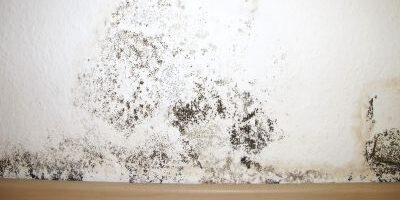
Mold Remediation
Live PreviewYour core line. Assessment first — where the moisture is coming from and how far growth extends — then containment, safe removal of affected material, thorough drying, and fixing the moisture source so the problem stays fixed. Mold is never identified from a photo; that takes an in-person assessment.
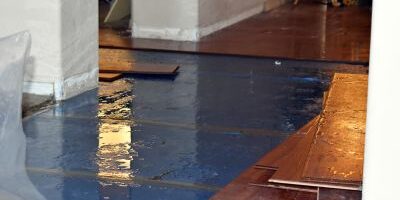
Water Damage Restoration
Live PreviewExtraction, structural drying, and dehumidification after leaks, burst pipes, and flooding. BOR presents its thermal drying system as designed to dry structures faster than traditional methods — the drying itself is documented with readings, because that documentation is what supports an insurance claim.
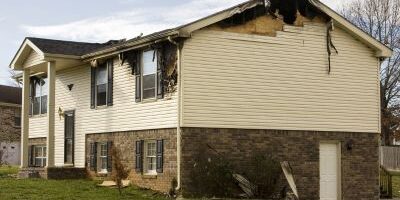
Fire & Smoke Restoration
Live PreviewCleanup and restoration after fire, smoke, and soot damage, with the structure and the belongings inside it handled together instead of as two separate problems.
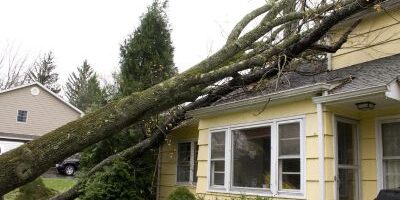
Storm Damage
Live PreviewResponse and cleanup after severe weather — wind, snow, ice, hail, and heavy rain — including the water damage that follows a storm inside the building.

Contents Restoration
Live PreviewCleaning and restoration of the belongings affected by a loss, so a damage event does not automatically mean replacing everything a family owns.

Commercial & Large Loss
Live PreviewRestoration for commercial properties and major loss events, backed by the capacity of a nationwide network of more than 70 locations when a job is bigger than one crew.
Sewage Cleanup
Needs Your FactsSewage cleanup and remediation is a stated service on official Best Option Restoration pages for specific locations. Whether your operation runs this line directly or refers it out is your call — the setup starts the day you confirm it, and the assistant already treats a sewage backup as an emergency that goes straight to a human.
Reconstruction
Needs Your FactsAfter-remediation repair: putting rooms back together once removal and drying are done. Stated for specific locations in the BOR system; whether your crews rebuild in-house or hand off to a partner is part of your setup answers.
Two more lines in the system: biohazard cleanup and asbestos abatement also appear in Best Option Restoration system materials. They stay off this grid until you confirm whether your operation offers them directly, refers them out, or does not touch them — your workspace only ever shows what is true for your location.
The Console
The workbench, inside your workspace
The console is where the day's work happens — leads, jobs, schedule, reviews, content — one depth inside this same workspace, not a separate place to log into. These modules are shown as a preview: the ones with working pieces link to them; the rest are honestly marked not wired yet.
Inbox & Leads
Not Wired YetEvery lead from every source — site, quiz, calls, assistant chats — lands in one pipeline with instant alerts and missed-call text-back, so the first response takes minutes, not hours.
Jobs & Estimates
Concept Demo LiveJobs move stage by stage: new lead, contacted, assessment booked, estimate sent, insurance stage, in production, complete. Walkthrough drafts feed the estimating system you already use.
Schedule
Not Wired YetAssessments and production days on one calendar, booked against the rules you set — who takes the visit, how much notice, which hours are real.
Reviews
Not Wired YetA consistent review ask built into the end of every job, pointing customers to your own review profile — your count grows on purpose instead of by accident. Wiring waits on your review links.
Content & Social
Examples ReadyYour blog and social posting, produced from one calendar and localized to your territory — including weather-triggered posts when a storm or freeze actually hits your area.
Locations
Blueprint ReadyWhen the network phase starts, this is where your flagship setup becomes the template other locations launch from — same system, their own verified facts.
Reports
Not Wired YetLeads by source, response times, assessments booked, and review growth — the numbers that show what each lead source actually produces. Reports fill in once real jobs run through the system; nothing here is estimated or backfilled.
Locations & Growth
Built for one location. Designed for the network.
Your location is the pilot: the first one set up completely, measured on real jobs. What proves itself here becomes the template — the same website system, blog engine, assistant, and console, filled with each location's own verified facts.
Pilot — Your Location
Your facts confirmed, your site and workspace live, your assistant answering, real jobs measured for a full season.
Regional — 5 to 10 Locations
Nearby locations launch from the proven template, each owner confirming their own territory, services, and hours first.
National — The Full Network
The system rolls out across the network with franchisor alignment on brand standards before anything goes network-wide.
Setup
What we need from you, Craig
Four answers turn this preview into your working workspace. None of them take long, and every one of them keeps the system honest — it only ever runs on facts you confirmed.
Your best email
The address your workspace account, lead alerts, and estimate notifications should use. This is the one thing standing between this preview and your own login.
Your estimating system
The name of the software you build bids and estimates in today, so walkthrough drafts are shaped to land in the format you already work in.
Your service area
The towns or ZIP codes you actually serve, so your site and your assistant never promise coverage you do not have — and route every lead to the right place.
Your rate card
Your rates, or a few completed job scopes, so the estimate tool is designed around your real numbers. No homeowner ever sees a number you have not approved.
This Is the Shape of It
Look it over, then bring your corrections on one call — the four setup answers above are the whole agenda.
Call (651) 470-7479